01
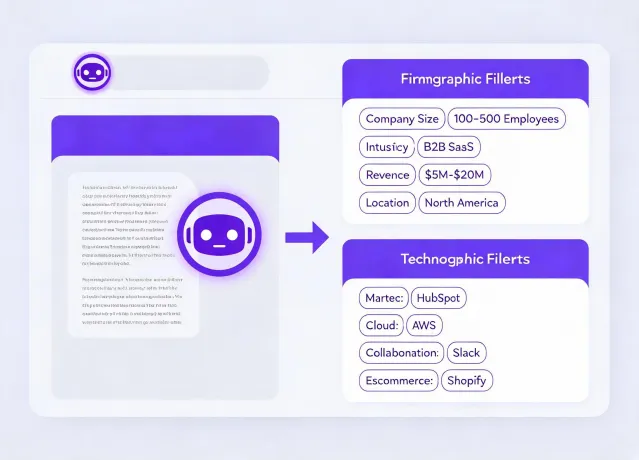
Model the ICP in plain language
Describe market, geography, company characteristics, technology signals, exclusions, and role hypotheses. The agent turns that brief into explicit criteria you can inspect before search begins.
Agent-native prospecting infrastructure
Persana AI equips your existing AI agent to discover companies, resolve decision-maker context, and prepare human-reviewed outreach without adding another seat-based workspace.
npx -y @okki-global/okki-go-taroball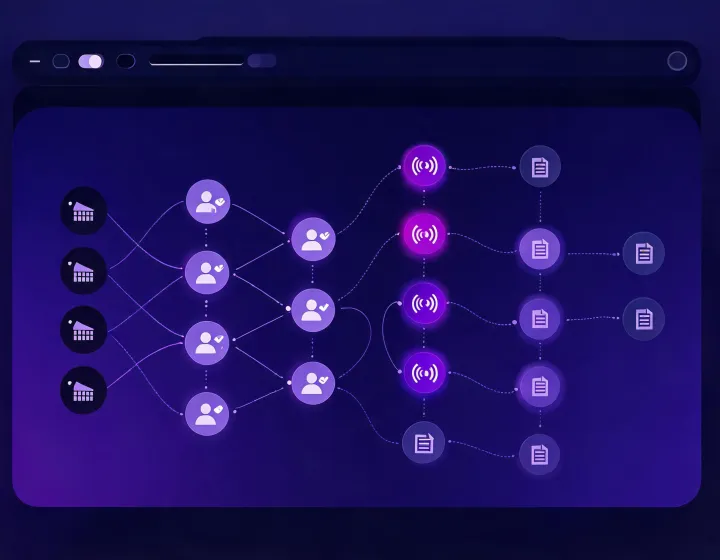
One agent, connected research
Describe market, geography, company characteristics, technology signals, exclusions, and role hypotheses. The agent turns that brief into explicit criteria you can inspect before search begins.
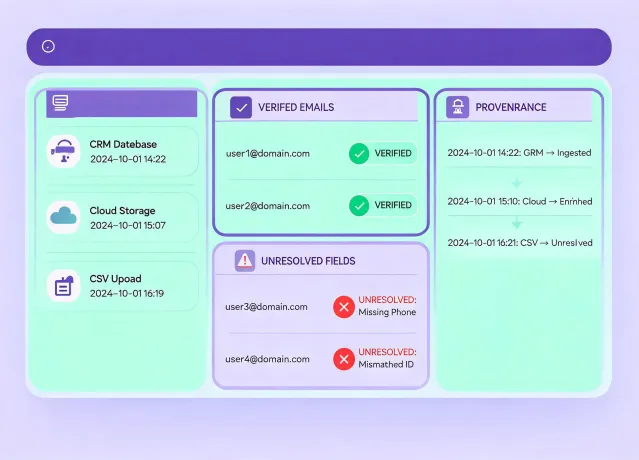
Company identity, role relevance, contact verification, and buying signals remain separate evidence layers. Conflicts stay visible so RevOps can decide which source or field is acceptable.
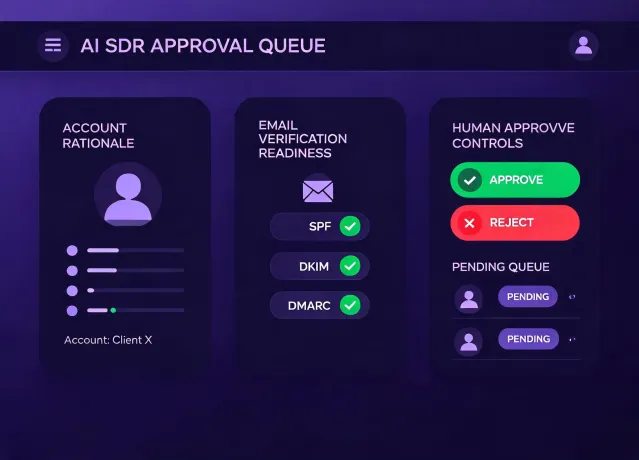
Drafting follows research, but sending does not. A reviewer checks relevance, contact evidence, suppression status, opt-out language, and regional communication requirements before any sequence proceeds.
Operating contexts
Test a total addressable market thesis before expanding headcount or software seats.
Build auditable enrichment, routing, and CRM update workflows with explicit provenance.
Move from a named account to a relevant, verified contact and reviewed message.
Explore a focused segment inside the agent already supporting daily company research.
Separate client criteria, research evidence, approvals, and suppression across engagements.
Auditable preview
Four-state runbook
npx -y @okki-global/okki-go-taroballSuccess: the command is on your clipboard. If copying fails, select the command manually.
Execute it in the terminal connected to your chosen AI-agent environment. Inspect the npm package prompt and terminal output before continuing.
Success: the installer exits without an unresolved error.
Add only the provider credentials your workflow needs, using environment secrets with minimum scope. Never paste API keys into a prompt or commit them.
Success: the agent can identify the skill without exposing a secret.
Run a known account cohort, then review identity, field provenance, timestamps, match logic, contact verification, and exclusions before connecting outreach.
Success: a reviewer can explain why each accepted account belongs.
Install FAQ
No. It copies the exact command. Installation begins only when you deliberately run that command in your terminal.
Runtime compatibility must be confirmed against the current installer output. This site does not invent a runtime count or imply unverified official integrations.
Use the runtime's secret or environment-variable facility. Apply least privilege, rotate credentials, and keep secrets out of prompts, logs, screenshots, and repositories.
The workflow described here requires human-in-the-loop review. Research, drafting, approval, and sending are separate states so relevance and compliance remain visible.
No. Provider coverage, email verification, hard bounce rate, sender reputation, inbox placement, and buyer response all vary and require measurement.
Use known positives, known exclusions, and ambiguous companies. Record expected identity, accepted fields, freshness limits, and why a reviewer approves or rejects each result.